


Building your own website
That's it. Now you can check out how easy it is to add content to your site, like logos, text and photos.
Updating your website
Any time you want to edit your website, click the "edit" link at the bottom right-hand corner of your website. Or, go to www.openbox.co.nz and click "login" in the top right corner.
Using your own web address or domain
Upgrading from a Free trial to a paid subscriber
Just so you know, PayPal is the most widely used and trusted payment method in the world.
You can cancel at any time, there are no fixed term contracts.
Cancel at any time
Cancelling is easy, just click this link to cancel your OpenBox subscription payments through PayPal.
Online Support & Tutorials
As a subscriber, you can chat on line with our technical staff who can help you through any issues or questions you may have. We also have a range of on line tutorials here.

You don't need a credit card and there is no obligation to continue.
- Click the "Try it Now" tab
- Enter your details
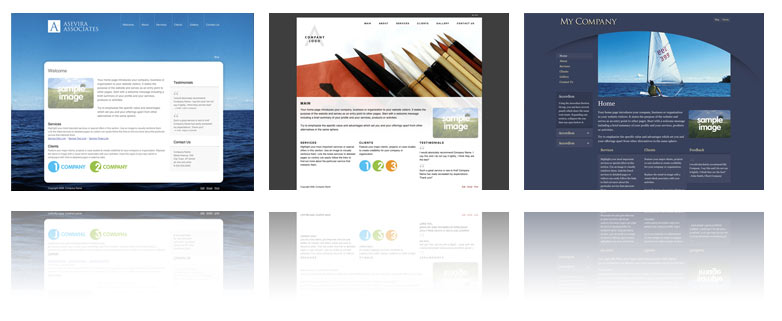
- Choose a design and click "Create web site"
That's it. Now you can check out how easy it is to add content to your site, like logos, text and photos.
Updating your website
Any time you want to edit your website, click the "edit" link at the bottom right-hand corner of your website. Or, go to www.openbox.co.nz and click "login" in the top right corner.
Using your own web address or domain
All new customers can get a free OpenBox domain.
e.g. www.openbox.co.nz/yourcompanyname.
If you want to use your own domain like www.yourcompanyname.co.nz you'll need to upgrade your account to start become a subscriber.
You will need to change the A records in your domain settings to 216.55.155.66
Upgrading from a Free trial to a paid subscriber
Your free trial will last a whole month. If you want to become a paid subscriber at any time, just click "upgrade account". You'll be connected through to the PayPal website to make a payment using your credit card.
Just so you know, PayPal is the most widely used and trusted payment method in the world.
You can cancel at any time, there are no fixed term contracts.
Cancel at any time
Cancelling is easy, just click this link to cancel your OpenBox subscription payments through PayPal.
Online Support & Tutorials
As a subscriber, you can chat on line with our technical staff who can help you through any issues or questions you may have. We also have a range of on line tutorials here.
- with a month's free subscription.
You don't need a credit card and there is no obligation to continue.